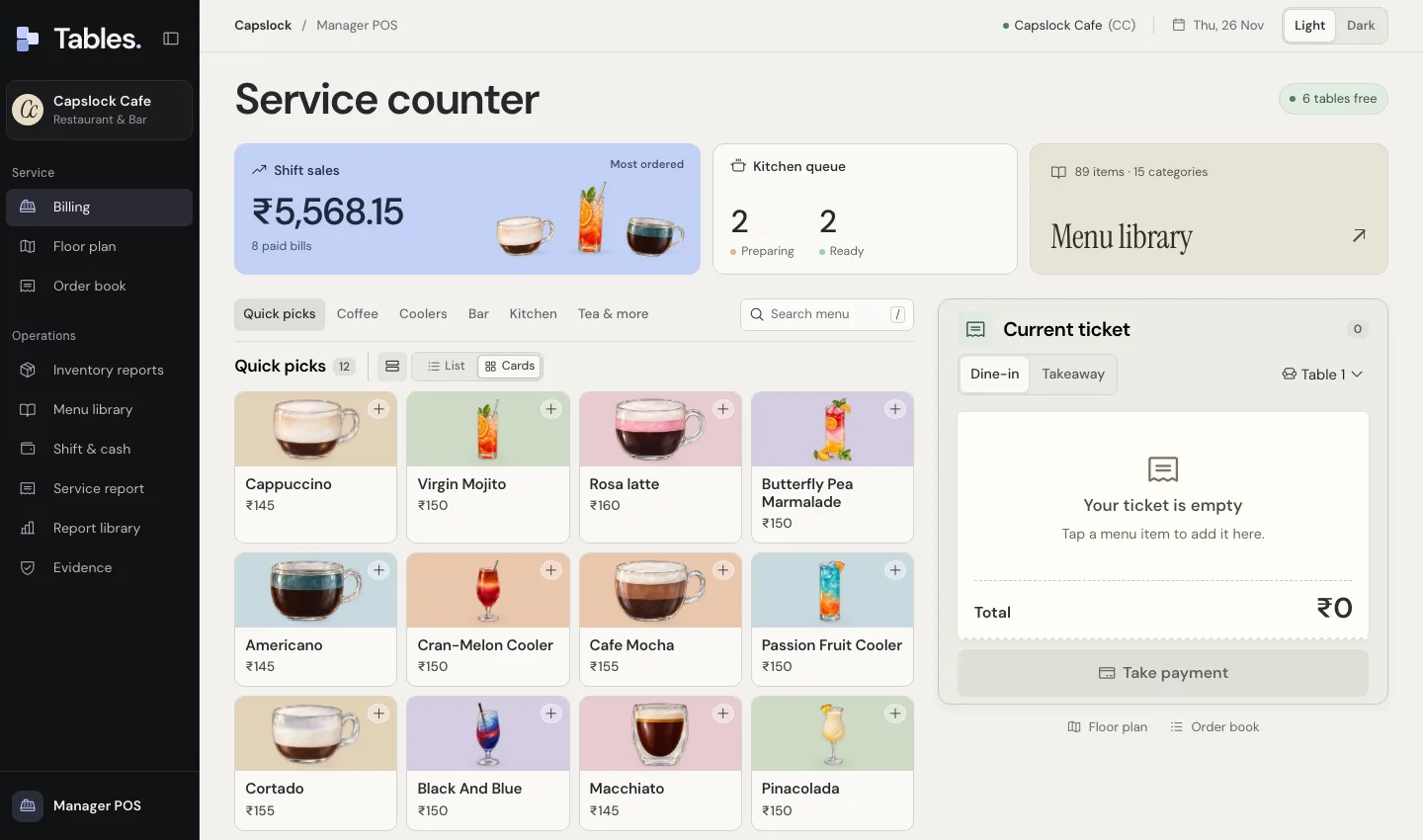
By the table or to go
Open a dine-in or takeaway check. Use the floor plan to find tables by hall, see their status, and reopen tickets held on this register.
Manager POS
Build a check, move a table, take payment, and close the shift. Keep the menu and the open ticket within reach at the counter.
Open a dine-in or takeaway check. Use the floor plan to find tables by hall, see their status, and reopen tickets held on this register.
Build checks from the menu, apply a discount, and review the total. Record cash, card, or UPI to create the order Kitchen sees.
Print guest bills through the browser, revisit receipts in the Order book, and compare the actual drawer count with expected cash.
Start here when you sign in to a sample outlet.